On this page
Key takeaways
- Shared hosting suits brochure sites; VPS suits growing stores; cloud suits spikes and critical apps.
- SSL, tested backups, updates and a CDN matter whichever tier you choose.
- Buy what you need now, with a clear upgrade path for later.
Hosting is the least glamorous part of a website and the easiest place to save a few rupees — until your site crawls during a sale, or worse, goes down. Understanding the three main tiers helps you buy exactly what you need.
#Shared hosting
Your site shares a server with hundreds of others. It's the cheapest option, perfect for a brochure website, a portfolio or a low-traffic business site. The catch: neighbours can affect your speed, and strict resource limits cap high-traffic peaks.
#VPS (Virtual Private Server)
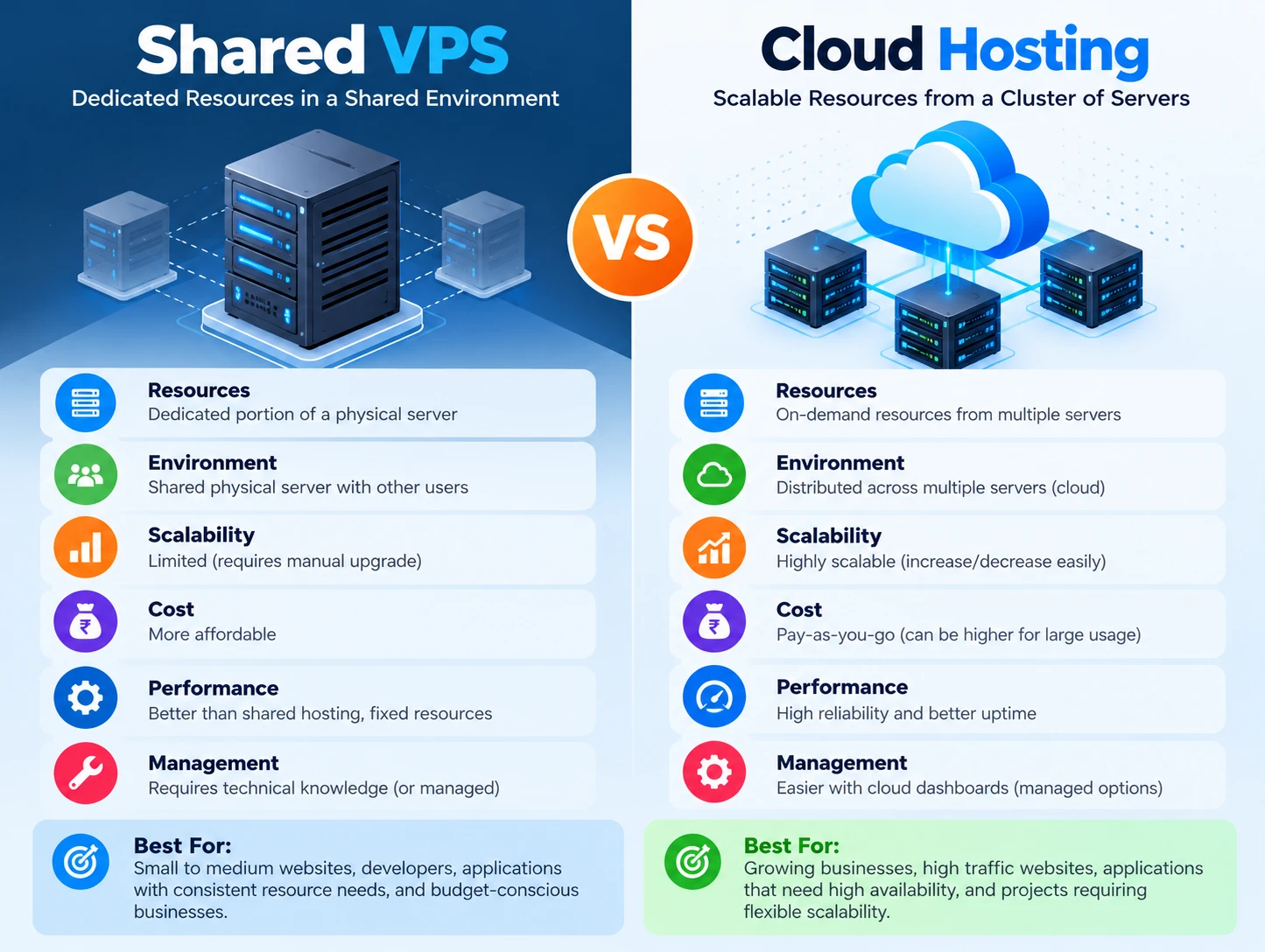
A server sliced into independent virtual machines. You get dedicated resources, root access and predictable performance — at a moderate price. Good for growing business sites, e-commerce stores with real traffic, and developers who need control.
#Cloud hosting
Your site runs on a cluster of servers, so load is spread and failures are survivable. Costs scale with usage, and performance can be excellent worldwide with a CDN. Ideal for seasonal spikes, mission-critical apps and audience growth beyond one region.
| Shared | VPS | Cloud | |
|---|---|---|---|
| Best for | Brochure and portfolio sites | Growing sites and stores | Spikes and critical apps |
| Resources | Shared with hundreds of sites | Dedicated slice | Spread across a cluster |
| Performance | Affected by neighbours | Predictable | Excellent, scales with load |
| Control | Limited | Root access | Full, with more setup |
| Cost | Lowest | Moderate | Scales with usage |
#What else matters
Whatever tier you choose: SSL certificates are non-negotiable (HTTPS affects trust and rankings); regular backups must be automated and tested; keep software updated; and use a CDN for assets. Don't forget business email and domain renewal — the mundane details that quietly sink sites.
- Estimate your traffic honestly. 5,000 visits a month rarely needs cloud.
- Ask about the host's support quality — downtime at 2 AM is not the time to discover slow ticket queues.
- Plan for growth: a path from shared to VPS to cloud beats starting over.
Buy the hosting you need now, with a clear upgrade path for later.
Kaamcube provides and manages shared, WordPress, VPS, cloud and dedicated hosting, plus domains, SSL, business email, CDN and speed setup, security monitoring and maintenance — with migrations done with minimal downtime. If your site is slow or your host is unresponsive, a conversation about moving costs nothing.
Frequently asked questions
Can you move my site from my current host?
Yes. We handle migrations with minimal downtime, including domains, SSL and business email.
Do I need cloud hosting?
Probably not yet if you get a few thousand visits a month. Cloud makes sense for seasonal spikes, mission-critical apps and audiences across regions.