On this page
Key takeaways
- Consider dedicated software when repeated entry, stock differences and unclear ownership interrupt daily work.
- Define your billing and stock workflows before choosing features or commissioning development.
- Clean the data, test a pilot and verify opening balances before switching to the new system.
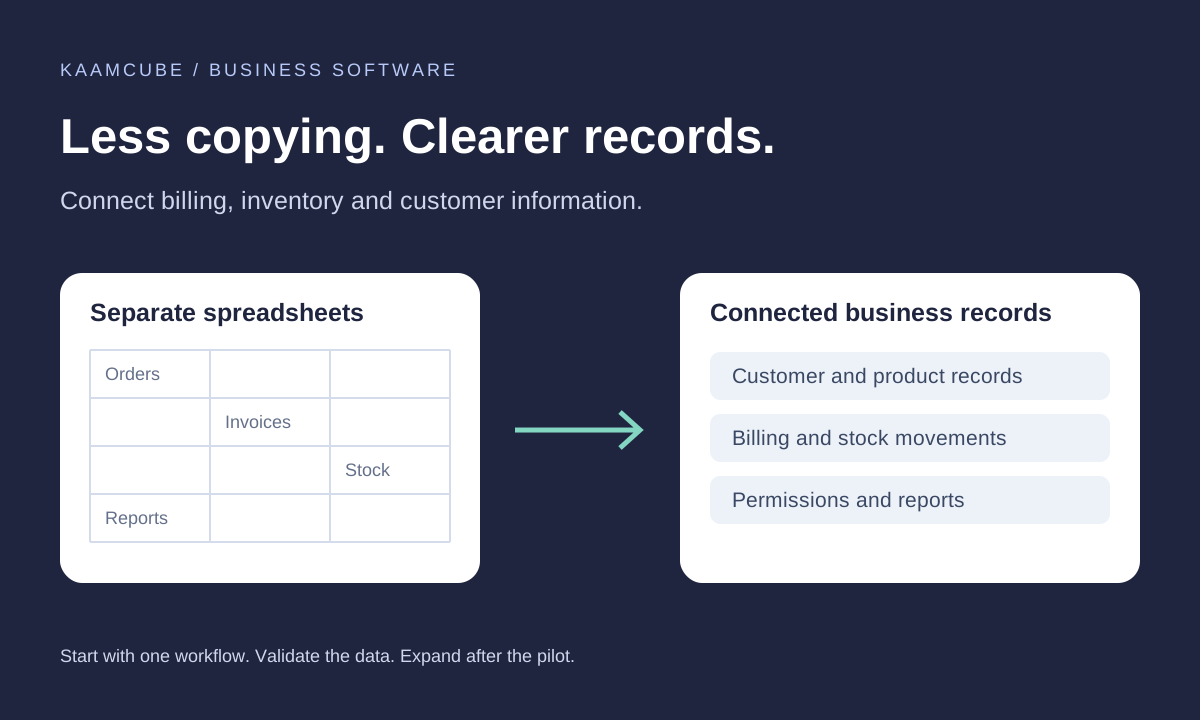
Spreadsheets are useful for analysis, planning and small business records. The difficulty begins when several people rely on separate files to manage the same invoices, products and customer balances. Moving to billing and inventory software is an opportunity to define how those records should work together.
The aim is to give your team a reliable place to record transactions and understand what changed. A new application still needs accurate data, clear responsibilities and a workflow that people can follow. Use this guide to prepare those foundations before replacing your current process.
Five signs your spreadsheet workflow needs a change
- Repeated entry: staff copy the same customer, invoice or product details between files.
- Unexplained stock differences: purchases, sales, returns and adjustments are not recorded consistently.
- Slow billing: invoice preparation depends on manual checks and one person's knowledge.
- Unclear balances: finding an outstanding payment means comparing several sheets and messages.
- Limited control: nobody can easily identify who approved, corrected or deleted a record.
First check whether a simpler process, clearer ownership or better use of existing tools can solve the problem. Dedicated software becomes useful when you need repeatable transactions, shared records, permissions and a dependable audit trail across everyday operations.
What billing and inventory software should do
Start with the transaction journey: create a quotation, confirm an order, issue an invoice, record the relevant stock movement and track payment. Decide which steps apply to your business and who can approve changes.
| Area | What to define | What to demonstrate |
|---|---|---|
| Billing | Numbering, customer details, prices and approved invoice fields | Create, correct and retrieve a representative invoice. |
| Inventory | Product codes, units, locations and stock movement rules | Trace a purchase, sale, return and authorised adjustment. |
| Payments | Part payments, outstanding balances and allocation rules | Match a receipt to the correct customer and invoice. |
| Permissions | Who can view, edit, approve or export information | Test actions with each user role. |
| Reporting | Required totals, filters and reporting periods | Compare a report with known sample transactions. |
Stock should change at a defined business event, such as dispatch or receipt, rather than by assumption. Agree how cancellations, damaged items and inter-location transfers work. If batch, serial-number or barcode tracking matters, include it explicitly in the scope.
CRM functions can follow when the team needs lead ownership, follow-up reminders or a customer history. Include only the modules that address a real process; a long feature list is not a substitute for a workable transaction flow.
Choose a suitable scope
Compare a configurable product with a custom build using your actual workflows. A ready-made system may fit standard processes; custom development can be considered when required approvals, operations or integrations cannot be handled well by available configuration.
Ask for a demonstration using your own sample scenarios. Check data export, ownership, backup arrangements, user limits and support terms as well as the initial price. Make sure your team can retrieve its records if a supplier relationship changes.
Kaamcube's custom software and ERP services cover billing, inventory and wider business workflows. The published starting price applies to a basic scope; modules, imports, integrations and ongoing services should be itemised in the proposal.
Start with one process and a controlled migration
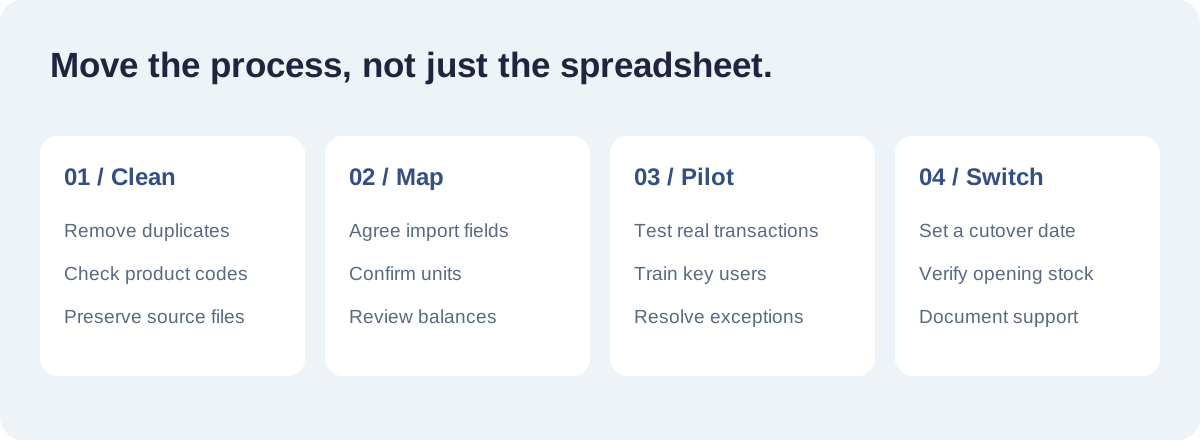
- Collect source files: identify the current customer, supplier, product, stock and balance records. Keep an unchanged copy.
- Clean the records: remove duplicates, agree product codes and units, and resolve missing or inconsistent fields.
- Map the import: document where each source field belongs and which historical records will remain archived.
- Run a pilot: use a limited set of products or a small team to test real business scenarios.
- Verify totals: compare opening stock, customer balances and sample invoices with the approved source records.
- Agree cutover: choose a switch date and define which system is authoritative so transactions are not entered twice.
Train users on corrections and exceptions as well as normal entry. The person handling a return, partial payment or mistaken product code needs a documented process. Assign someone in the business to approve imported data and sign off the pilot.
Check the rollout and support plan
Before launch, test permissions, backups, exports and the recovery process. Record who can request changes and who will investigate a discrepancy. Measure practical results such as invoice preparation time, unresolved stock adjustments and overdue follow-ups against a baseline.
Agree the boundary between maintenance and new development. Confirm hosting, licences, migration work, training and support coverage separately where needed. Share approved invoice examples with your accounts team so required fields and calculations can be reviewed before acceptance.
For an example of our work, explore the Om Global ERP and website project. To discuss your own requirements, contact Kaamcube with a summary of the processes and spreadsheets you want to improve.
Frequently asked questions
Do we have to stop using Excel completely?
No. Spreadsheets can remain useful for analysis and planning. Define which system owns transaction records and use exports where appropriate, rather than maintaining competing versions of the same data.
Can our existing records be imported?
Customer, supplier, product and opening balance records can often be imported after review. The work depends on file quality, field mapping and validation. Agree the import scope and keep the original files.
Should we start with billing or inventory?
Start with the process causing the clearest operational difficulty. If billing and stock are closely linked, define their relationship together and pilot a manageable set of transactions.
Can the software support our invoice format?
Share representative invoices and calculation requirements during discovery. Confirm required fields, numbering, tax configuration and approval by your accounts team before acceptance.
What affects the cost?
Modules, user roles, locations, data cleanup, reporting and integrations all affect scope. Ask for a proposal that distinguishes development from migration, hosting, licences, training and ongoing support.
How do we know the migration worked?
Reconcile imported balances and stock with approved source records, test representative transactions and have the business owner sign off the pilot before cutover.